Materials
Materials in Crown are resources with the .material extension. They define
the shading (i.e. the visual appearance) of objects in the scene.

Some materials displayed in the Project Browser.
At the technical level, a material binds a shader together with its options
and parameters (uniforms and samplers). For example, the built-in
core/units/primitive material uses the shader named mesh and assigns
values appropriate to primitive objects to all uniforms that shader exposes.
Creating Materials
Materials are normally created indirectly by the importers when you bring in external resources.
For instance:
Importing a 3D scene automatically generates the required
.materialresourcesImporting sprites also produces associated material resources
You can also create standalone materials directly in the Level Editor:
Open the Project Browser
Right-click inside the target folder
Choose
New Material...Give it a unique name and confirm
Assigning Materials to Units
Materials are assigned to units through their rendering components. The Mesh
Renderer component for example exposes a Material property.
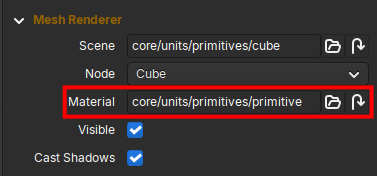
The Material selector in the Mesh Renderer component.
Click the folder icon next to the material’s name to open the Material Chooser and pick the desired material from the list.
You can also assign materials programmatically at runtime via the RenderWorld Lua API.
Modifying Material properties
Once a material is assigned, you can modify its properties dynamically from Lua scripts using the Material API.