Lighting
Crown provides three light types: directional, omni, and spot. Lights are
regular Units with a Light Component attached; the component’s
Type property selects the light type. Add a light to the level using
Spawn -> Light in the Menubar.
Directional light
A directional light illuminates objects from a uniform direction; The
brightest directional light in a Level (the one with the highest
Intensity) is considered the sun. The sun typically renders shadows for
the entire level using Cascaded Shadow Maps. Crown adds a default sun unit to
new levels created from the Level Editor.
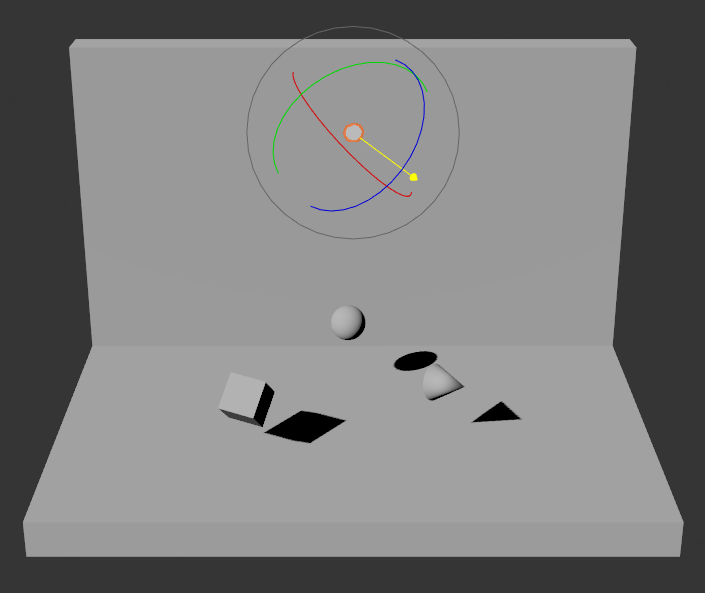
A directional light illuminating objects in the Level Viewport.
Local lights
Local lights affect only nearby objects. They expose a maximum range property to limit their influence. Keep ranges reasonably small to reduce performance cost and to avoid shadowing artifacts; very large ranges can make shadows and lighting harder to tune.
Omni light
Omni lights emit in all directions and are suitable for simulating point light sources such as light bulbs, fireplaces and so on.
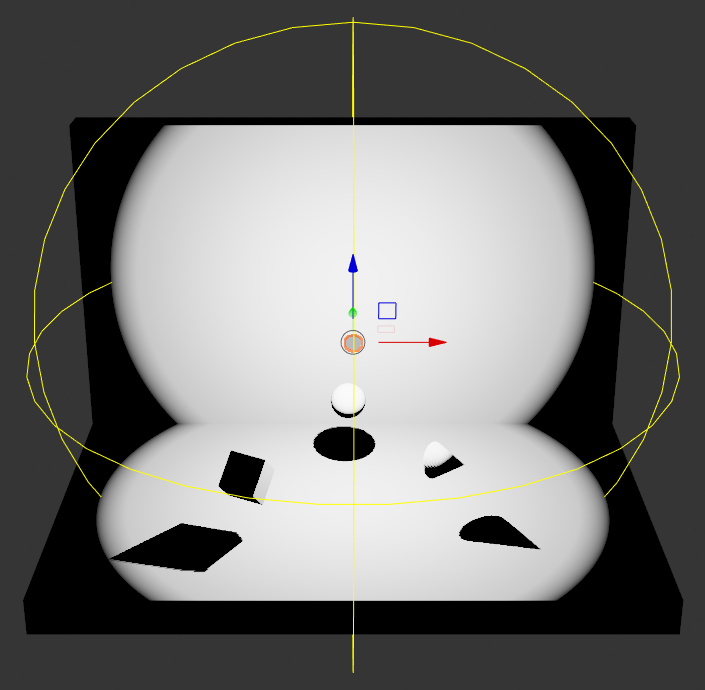
An omni light illuminating objects in the Level Viewport.
Spot light
Spot lights emit light inside a cone. Use the Light Component’s Spot Angle
and Range to shape the cone. Spot lights are appropriate for torches,
street lights and similar sources.
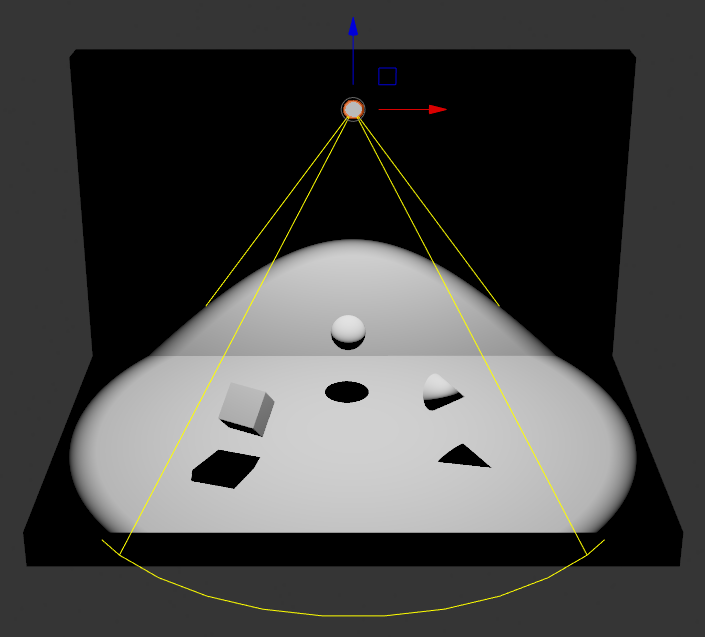
A spot light illuminating objects in the Level Viewport.
Shadows
Crown uses different shadow mapping approaches depending on the light type. Directional light shadows are rendered with Cascaded Shadow Maps (4 splits). Local lights combine tetrahedron mapping and regular shadow maps inside a single shadow atlas. Use the Render Config to tune shadow-map resolution and related parameters.
Rendering convincing shadows require careful tuning. Two common shadow mapping
artifacts are shadow acne and peter-panning. Use the Light Component’s
Shadow Bias property to reduce these issues.
The Shadow Bias offsets depth comparisons to compensate for shadow map
precision limits. Lower bias values reduce peter-panning but can expose
shadow acne; higher bias values reduce acne but can cause noticeable
separation between casting objects and their shadows (peter-panning). Adjust
bias incrementally to find the best compromise for your Level.
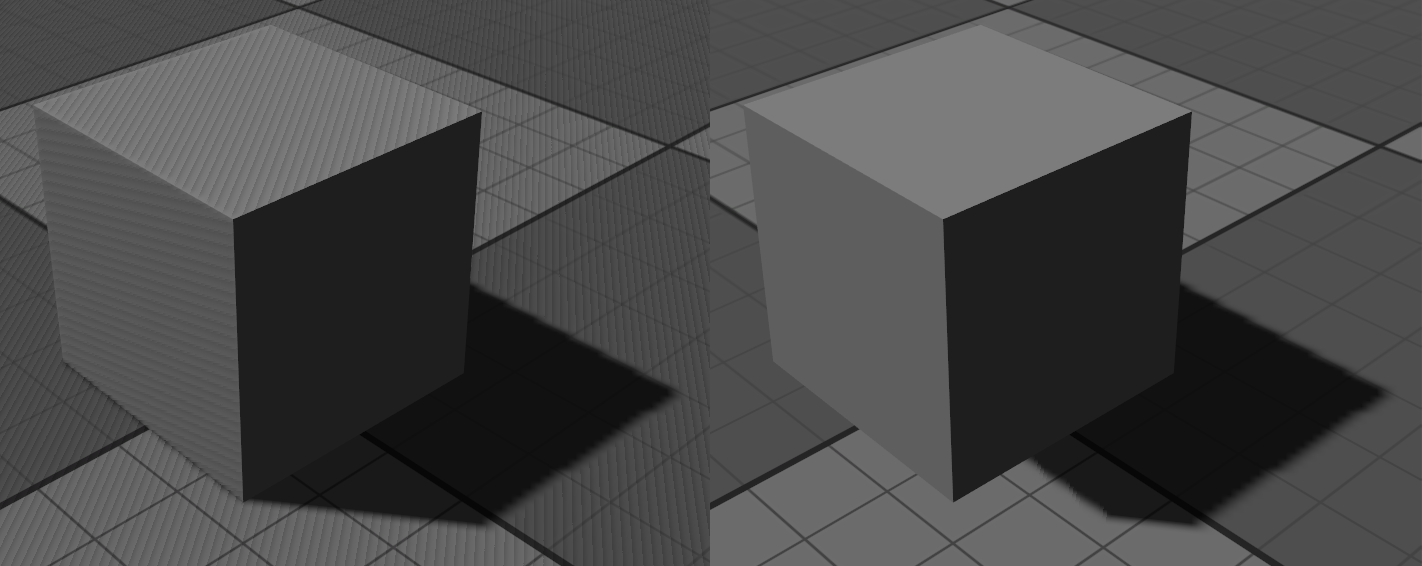
Left: shadow acne (low bias). Right: peter-panning (high bias).
Skydome
Crown automatically adds an implicit skydome Unit to every new Level created with the Level Editor. It is rendered on the current camera’s far plane and is always centered to it, so it appears infinitely distant and does not shift as the camera moves. Its texture and intensity are configured via the Shading Environment.