Introduction
What is it?
Crown is a complete and cross-platform game engine designed for flexibility, performance and fast iteration. It is not tied to any specific game type or genre; instead, it provides a small set of general-purpose systems for building a wide range of 3D and 2D games.
License
The games you create with Crown are your sole property. All the data (models, textures, levels etc.) and code you produce (including any data and code generated by Crown) are yours to use as you wish. See License for a comprehensive list of applicable licenses.
Supported platforms
- Runtime
Android 7.0+ (ARMv7-a, ARMv8-a)
HTML5 (Wasm/Emscripten)
Ubuntu 22.04+ (x86_64)
Windows 10+ (x86_64)
- Editor
Ubuntu 22.04+ (or any 64-bit Linux with GTK+ >= 3.24)
Windows 10+
Design Principles
Crown is loosely inspired by the Bitsquid engine and shares with it many of its design principles:
- Data-driven
All aspects of the game are defined in text-based configuration files, which are compiled into efficient, platform-specific BLOBs before shipping. These files are human-readable, easy to inspect and work well with traditional version control, regular text-based tools and LLMs.
- Data-oriented
Data in memory is organized for high performance on every supported platform.
- Hot-reload everything
Every game asset can be reloaded at run time, including code.
- Multi-process Editor/Runtime architecture
The Editor and Runtime live in separate processes. The Editor holds the authoritative state, so if the Runtime crashes you can restart it without losing work.
- Lightweight Codebase and Runtime
The whole engine (runtime + tools) consists of fewer than 100K lines of code. Written entirely in high-performance native languages, it is easily understood and extensible by anyone.
Features
- Cross-platform Editors
DCC data importers for models, textures, sprites, sounds, fonts etc.
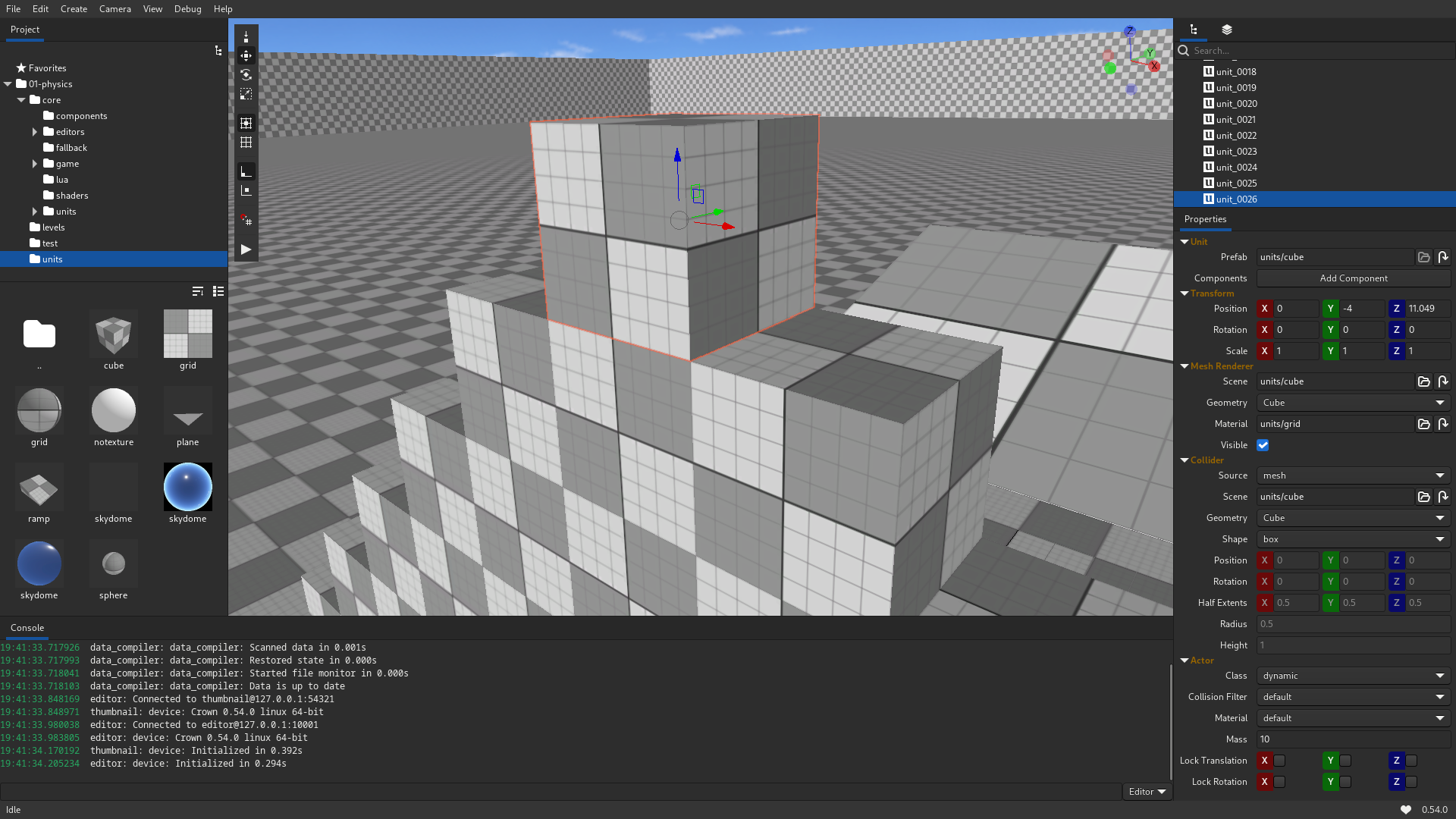
Level Editor with place/move/rotate/scale controls, snapping, selection etc.
Dedicated editors for most resource types (Animation, Unit prefabs, Texture Settings etc.)
Object Inspector with component-based workflow.
Project Browser with global searching, multiple view modes, thumbnails etc.
Deployer for Android, HTML5 and desktop platforms.
Console with Lua REPL and runtime commands.
Undo/redo support, light/dark theme and customizable launchers.
- Graphics
D3D11, GLES 3.0, OpenGL 3.2 and Vulkan render backends.
High-level 3D & 2D objects (meshes, cameras, lights and sprites).
Physically-based rendering pipeline with metallic workflow.
GLSL-like shader programming language.
3D skeletal animation.
Animation state machine with events, variables, blending and a simple expression evaluator.
Immediate-mode GUI API with customizable materials.
TrueType text rendering via texture atlas.
Flipbook sprite animation.
glTF 2.0, FBX, OBJ and custom mesh formats.
DDS, EXR, JPG, KTX, PNG, PVR and TGA texture formats.
- Physics
Static, dynamic and keyframed rigid bodies with multiple colliders.
Dedicated Mover object for controlling characters.
Collision begin/stay/end events.
Triggers with enter/leave events.
Spatial queries: ray-, sphere- and box-casts.
Joints (fixed, hinge, limb, spherical, spring and d6).
- Audio
3D audio sources with position and range-based attenuation.
Sound groups for bulk volume adjustments.
Audio streaming.
Formats: WAV, OGG and MP3.
- Scripting
Integrated Lua runtime can be used to control every aspect of the game.
On supported platforms, LuaJIT is used for even higher performance.
Integrated REPL to quickly test and experiment while the game is running.
Live reloading of gameplay code without needing to restart the game.
- Input
Unified interface for mice, keyboards, joypads and touchpads.
Access to sub-frame input events list.
Simplified polling interface for rapid prototyping.
- Debugging
Integrated profiler API and data plotter graph.
C++ and Lua callstack generation.